Workshop
AI to DXF: getting laser-cut and sheet-metal parts from a description
How people use AI to produce DXF files for SendCutSend-style laser and sheet-metal shops, what went right and wrong in real reported cases, and a checklist.
Source: Business Insider, “Vibe coding is old news. People are ‘vibe manufacturing’ now.” by Henry Chandonnet, November 1, 2026. Short quotes only; this is an independent summary that the publication and the people named have not reviewed or endorsed.
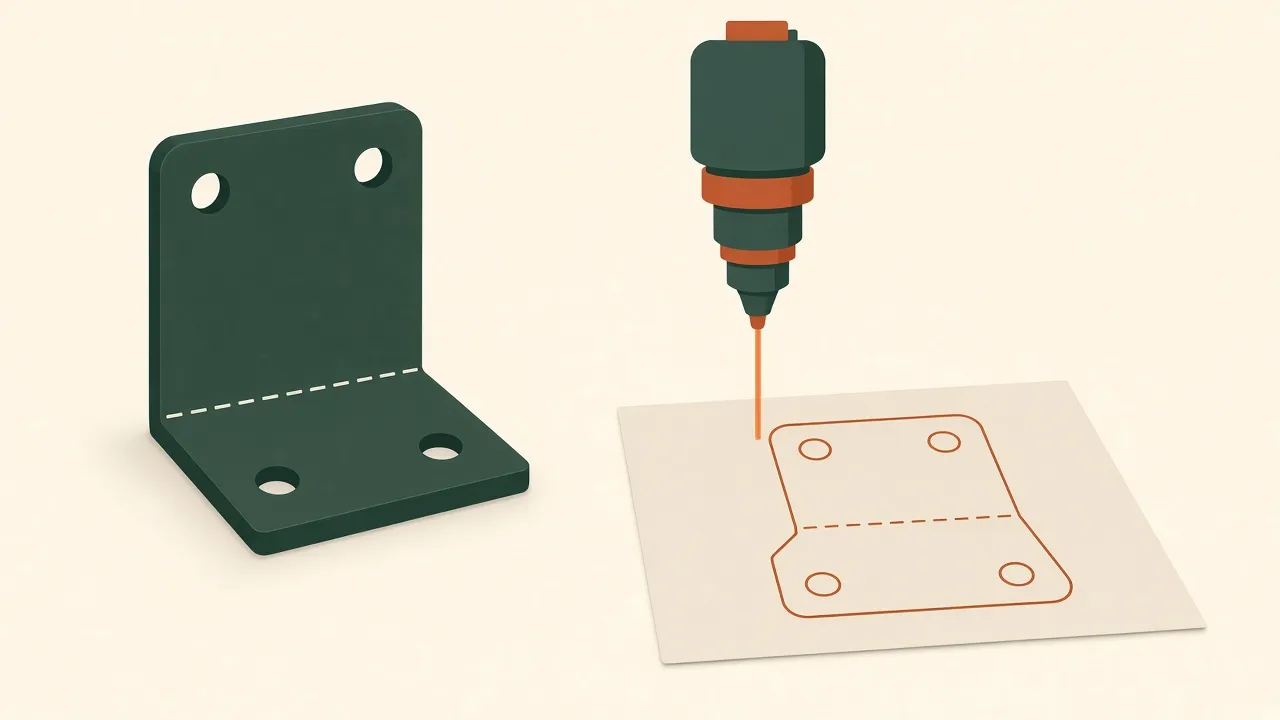
Flat parts are where AI design is most dependable today. A laser or sheet-metal part is just a 2D outline plus holes and bend lines, which AI models can describe precisely. That makes DXF the shortest path from an idea to a metal part.
The case that made headlines
Business Insider described Jeff Deehan, a hobbyist in East Lansing, who needed a small steel piece to secure a camper to his truck. Using GPT-6 Astra in voice mode he described the part and its angle. According to the article, the chatbot exported a DXF, filled in SendCutSend’s order form, and paid the $156 with stored payment details; the part arrived ten days later. Deehan’s summary: “In about 10 minutes, I spoke a part out of my mind into existence.”
The same article describes a less smooth case: Jake Fitzgerald designed a sheet-metal robot arm with a text-to-CAD tool and paid about $200 for the final build, after earlier iterations had problems. A DEV Community write-up of the article puts the reorder cost at about $2,000.
A workflow you can copy
- Describe the flat pattern. Overall size, material thickness, hole diameters and positions, and bend lines with angles.
- Ask for a DXF in millimetres, one closed outline per part, holes as circles, no dimensions or text on the cut layer.
- Open the DXF yourself in a free viewer or LibreCAD. Measure the overall size and one hole.
- Read the shop’s design rules. Every shop publishes minimum hole sizes, minimum feature sizes, and bend rules. Check them against your file.
- Upload and read the quote before ordering. If you let an agent do this, cap what it may spend.
Checklist before you pay
- Scale is right (an inch/mm mix-up is a 25.4× error).
- All outlines are closed.
- Holes are not smaller than the material thickness unless the shop allows it.
- Bends are not too close to holes.
- The part is not safety-critical. A camper tie-down is a judgment call; check rated load requirements.
Laser, sheet metal, or 3D print?
Pick the process before you prompt, because it changes what the AI should draw.
- Laser-cut sheet (acrylic, plywood, thin metal): one flat outline. Good for plates, spacers, signs, and display stands.
- Sheet metal with bends: a flat pattern plus bend lines. The shop forms the bends, so ask the AI to mark bend lines separately from cut lines and tell it the material thickness.
- 3D print: better for clips, enclosures, and anything with depth that is not a bent plate. See how to make a 3D-printable part with AI.
Prompting for a clean DXF
A good prompt reads like a drawing in words. For example: “Flat pattern for a 3 mm steel bracket, 120 × 60 mm, one 90° bend line 40 mm from the left edge, four 6.5 mm holes 10 mm from each corner, 5 mm corner radius. Output a DXF in millimetres with only closed polylines and circles on one layer named CUT, and the bend line on a separate layer named BEND.”
Then ask the model to print back the coordinates of every hole centre. Comparing that list with your sketch catches most mistakes before you open a viewer.
Check the file with paper first
Print the DXF at 100% on paper, or cut it from cardboard, and hold it against the real object. It costs almost nothing and catches wrong scale, mirrored parts, and holes in the wrong place. For bends, fold the paper on the bend line.
Read the shop’s rules, not a blog’s
Each shop publishes its own guidelines. SendCutSend, for example, has a guidelines page with tutorials such as exporting CAD files from common design software. We do not repeat numeric limits here because they differ by material and change over time; read them on the shop’s site for your material and thickness.
Related projects
See the van accessory mounting bracket and laser-cut merch display stands, or compare tools in best text-to-CAD tools.
FAQ
Can AI make a DXF file for laser cutting?
Yes. Chat models and text-to-CAD tools can write a 2D outline and export DXF. Business Insider reported a case where GPT-6 Astra designed a steel bracket and exported a DXF that was ordered from SendCutSend.
What should I check in an AI-made DXF?
Units and scale, closed outlines, hole sizes against the shop's minimums, bend allowances if the part is bent, and that no stray lines or text remain.
Should I let an AI agent pay for the order?
Be careful. In the reported example the agent paid with stored payment details. Set a clear spending limit and review the quote yourself before anything is ordered.
Is SendCutSend a sponsor?
No. SendCutSend is named because it appears in public reporting. It has not reviewed or endorsed this article.