Home
A desk Grok Bot designed by a bot, free on MakerWorld
Whitney Enlow's first 3D design is a two-colour desk Grok Bot that a bot designed. Two plates, about 55 minutes, zero color swaps, free on MakerWorld.
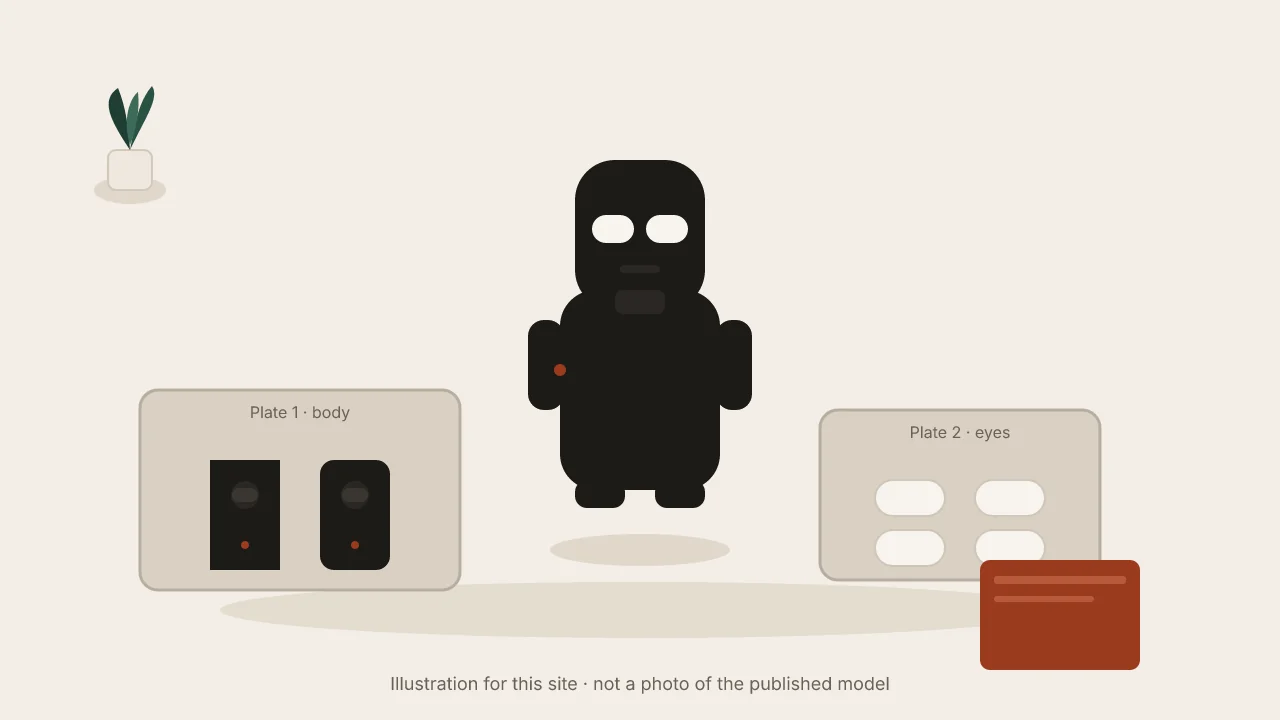
Source: Whitney (@WhitneyEnlow) on X, November 5, 2026, and the model page Desk Grok Bot on MakerWorld. This is an independent summary; the creator, xAI and Bambu Lab have not reviewed or endorsed it.
Whitney Enlow’s first 3D design is a little desk figure of Grok Bot. In her words: “My first 3D design, and a bot designed it.” She published it free on MakerWorld the same week her bot helped her buy a printer. It is a clean example of vibe manufacturing: describe a small object, get a printable file, put it on the desk.
The story behind the print
Earlier the same day she posted that her first Grok Bot shopping run was a 3D printer under $500. The bot compared options, she approved the order, and it tracked the package to her door. In a later reply she named the machine: a Bambu Lab A1, picked after she asked for a printer under $500.
Then the model went live: “Desk Grok Bot is live … Free on MakerWorld: two plates, about 55 minutes, zero color swaps.”
We are not copying photos from the posts; see the original post and the MakerWorld page for those.
What was made
From the MakerWorld card linked in her post:
- A little desk Grok Bot with white pill eyes.
- A two-colour look that needs zero color swaps: the black body prints as two halves on one plate, and the white eyes print on their own plate.
- No purge waste and no mid-print filament changes.
- Assembly is press the eyes in and pin the halves together.
She does not name which AI model or CAD tool wrote the geometry beyond “a bot” / Grok Bot. This write-up sticks to that.
Print notes
Per her post: two plates, about 55 minutes, zero color swaps. Check MakerWorld for the current plate layout and suggested settings. A Bambu Lab A1 is what she used; other FDM printers can run the same files if you match nozzle and filament.
Workflow for a similar two-colour desk figure
These steps are general advice for a small two-colour figure with press-fit eyes. They are not Whitney’s exact process.
1. Decide the colour split before you model
Plan which parts are colour A and which are colour B. If each colour lives on its own plate, you avoid AMS swaps and purge towers for a simple two-tone look.
2. Ask for printable halves, not one solid toy
Design a small desk figure, about 60–80 mm tall, that prints as
two body halves on one plate and separate eye inserts on a second
plate. Eyes are white pill shapes that press into the head.
Halves pin or snap together. Add 0.2 mm clearance on press fits.
Export STL or 3MF for an FDM printer.
Swap the height and clearances for your printer and filament.
3. Print a short fit test
Print one eye pocket and one eye first. A pocket that is too tight can crack the head; one that is too loose lets the eye fall out.
4. Print the full plates
Run the body plate in the dark filament, then the eye plate in white. No mid-print swap needed if the colours stay on separate plates.
5. Assemble
Press the eyes in, then pin or snap the halves. Skip glue until the fit is right.
Cost and time
Estimate, not a quote. The model is free. Filament for a small figure is typically a few euros. She lists about 55 minutes of print time on two plates. Your time depends on layer height, infill and printer.
Pitfalls
- Clearance. Press-fit eyes need a little gap. Measure the printed pocket, not only the model.
- Pin strength. Thin pins can snap if you force the halves. Dry-fit before you push hard.
- Colour plates. Mixing both colours on one plate brings back swaps and purge waste, which this design was meant to avoid.
- Licence. Check the MakerWorld page before you sell prints or remix the files.
Small desk prints are a gentle first project. See also the foldable phone stabilizer pad, the one-button desk mute board, and our guide on how to make a 3D-printable part with AI.
Tools and services
- Grok Bot, which she says designed the figure and earlier helped her pick a printer.
- MakerWorld, where the model is published free.
- A Bambu Lab A1 in her case; any similar FDM printer and slicer will work for the files.
Related use cases
FAQ
What is Desk Grok Bot?
A small 3D-printed desk figure with white pill eyes. Whitney Enlow published it free on MakerWorld. The black body prints as two halves on one plate and the white eyes on a second plate, so a two-colour look needs no mid-print filament changes.
Who designed it?
Whitney (@WhitneyEnlow) says it is her first 3D design, and that a bot designed it. She does not name a CAD app or a specific model beyond calling it a bot / Grok Bot in her posts.
How long does it take to print?
She writes that it is two plates, about 55 minutes, with zero color swaps. Your slicer time will vary with nozzle, layer height and printer.
Which printer did she use?
In a reply she says Bambu Lab A1. She asked her bot for a 3D printer under $500 and it picked that one. Any similar FDM printer can print the files; check the MakerWorld page for the published settings.
Is this article endorsed by Whitney, xAI or Bambu Lab?
No. This is an independent write-up based on her public posts and the MakerWorld model page. None of them has reviewed or endorsed it.