Electronics
OpenAI's GPT-6 Astra Codex device: an AI-designed hardware prototype
How two OpenAI team members used GPT-6 Astra to design a Codex device prototype in under a week, what still needed humans, and how to try the workflow.
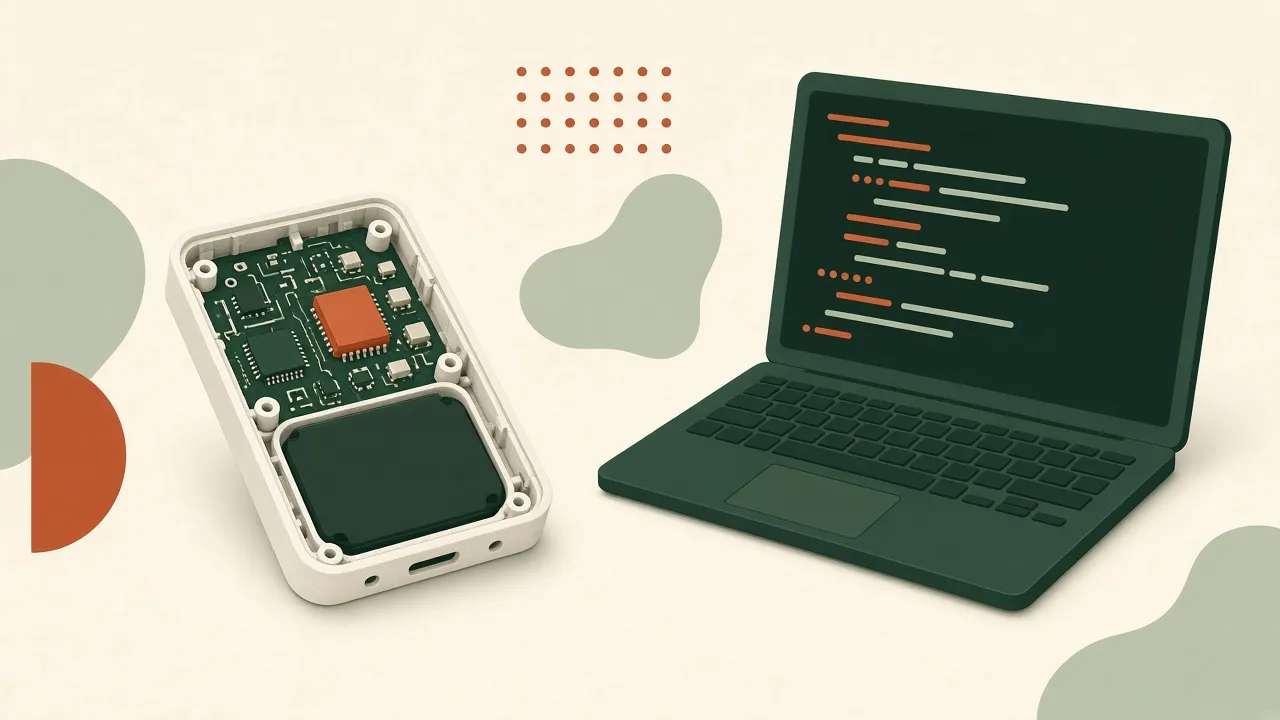
Source: OpenAI on X (November 3, 2026) and OpenAI’s post Accelerating engineering for the physical world. This is an independent summary and analysis. OpenAI, GPT-6, Astra, and Codex are trademarks of their owners and are used here only to describe the project.
On November 3, 2026, OpenAI described a small hardware experiment: a device for talking to Codex, designed largely by its GPT-6 Astra model. In OpenAI’s words, two team members worked with the model “to design a prototype device for talking to Codex in under a week, as a side project.”
It is the clearest public example so far of what vibe manufacturing looks like when a frontier lab does it: a prompt-driven loop that goes all the way from requirements to a box someone can hold. It is also an honest example, because OpenAI spelled out where the model fell short.
What OpenAI built
According to the post, OpenAI used GPT-6 to define the functional requirements and then had Astra handle four areas:
- Aesthetics: the look of the device, drawing on an earlier OpenAI collaboration with Work Louder and references from games and toys.
- Mechanical design: the enclosure and the internal structures that hold components in place.
- Electrical design: component selection and the printed circuit board (PCB), including placement and connections sized to fit the enclosure.
- UI and software: the user interface, the firmware, and the software integrations that connect the device to Codex.
A contract manufacturer then built a small batch of prototypes in under a month, according to OpenAI.
What OpenAI did not publish: the bill of materials, the cost, the number of units, the manufacturer, the CAD or PCB files, or the prompts. If you see specific numbers for any of those elsewhere, check where they came from.
Where the model fell short
This is the useful part for anyone trying the same thing. OpenAI writes that getting the device ready for manufacturing “still required several rounds of review and iteration.” The post names the gaps: Astra did not consistently account for the manufacturer’s production limits, tolerances, or the details required for assembly.
That matches what we see on smaller projects on this site. A model can produce a plausible enclosure and a board that passes its own checks. The parts that break are the ones that live in the physical world: a wall too thin for the process, a connector that sits a millimeter off, a screw boss nobody can reach with a driver. Those are not prompt problems. They are review problems.
The wider picture: CAD, scans, and simulation
The device was one part of a longer post. OpenAI also says:
- Its hardware and infrastructure teams use Codex and ChatGPT to create and revise CAD models, prepare manufacturing drawings, set up simulations, and review designs. OpenAI reports that model usage across those teams, measured in tokens, grew 23-fold since February.
- With Chip Ganassi Racing, it is testing workflows that turn 3D scans of existing parts into editable CAD models and 2D manufacturing drawings, which OpenAI notes is useful when original design files are unavailable. CGR engineers review the output for accuracy and manufacturability.
- With Mazda, it announced a research collaboration with aerodynamics and crash-safety engineers, using simulations of airflow and structural behavior. OpenAI says more results will follow in the coming months.
- On its internal BenchCAD 2.0 benchmark, OpenAI reports a newer internal model scored 0.875 on average versus 0.594 for GPT-6 Astra at its highest reasoning setting.
The scan-to-CAD workflow is the one most readers can relate to. It is the professional version of recreating a knob for a vintage receiver: you have the part, not the file, and you need a drawing someone can make.
How to try the same loop on a small project
You do not have access to OpenAI’s internal setup, and the device files are not public. You can still run the same shape of workflow on something low-risk.
1. Write the requirements first
OpenAI started by having the model define functional requirements. Do the same in plain language: what the device does, how it is powered, what it connects to, the maximum size. Keep it USB-powered and low-voltage. No mains, no lithium cells without a proper protection circuit.
2. Generate the enclosure and the board separately
Ask a coding-capable model to produce parametric CAD (for example OpenSCAD or CadQuery code) for the enclosure, and a KiCad project or Gerber files for the board. Give it real datasheet dimensions for every bought part. The desk mute button article walks through this for a one-button board.
3. Review against the maker’s rules
This is the step OpenAI says its model missed. Open the files yourself. Check wall thickness and clearances against your printer or your print service, and check track width, drill sizes, and edge clearance against your PCB fab’s published rules. Check that every screw can be reached and every connector lines up with its opening.
4. Build one, not a batch
Print the enclosure at home, order the minimum quantity of boards, and assemble one unit. OpenAI went to a contract manufacturer; for a personal project, a printer on the bench is the faster loop.
5. Iterate
Feed measured problems back to the model: “the USB opening is 0.8 mm too low,” not “it doesn’t fit.” Expect more than one round. OpenAI needed several.
Tools
- A coding model that can write CAD code and firmware (Codex, or another assistant you have access to).
- OpenSCAD, CadQuery, or a CAD package you can open and check.
- KiCad and a Gerber viewer for the board.
- A PCB fab’s design-rule page and quote.
- A 3D printer or print service for the enclosure.
Limitations
- This is OpenAI describing its own work. We have not seen the device or its files, and nothing here has been independently tested.
- “Under a week” refers to design time on a side project, per OpenAI. It does not include the manufacturing time or the review rounds.
- Benchmark numbers come from OpenAI’s internal evaluation.
- A consumer project is not a certified product. If you plan to sell hardware, product safety and radio rules are a separate project.
Related use cases
- A one-button desk mute board: the smallest version of an AI-drafted PCB plus printed case.
- Recreating a vintage receiver knob: the hobby version of scan- and measure-to-CAD.
- A custom dog door panel for a Wi-Fi lock: adapting an enclosure around hardware you bought.
FAQ
What is the GPT-6 Astra Codex device?
It is a test device for talking to Codex, built by OpenAI as an experiment. According to OpenAI, two team members used GPT-6 Astra to design its enclosure, circuit board, interface, and software in under a week as a side project. It is a prototype, not a product OpenAI has announced for sale.
Did the AI design the device with no human help?
OpenAI says it set out to create the device without direct human edits, but it also says getting it ready for manufacturing still took several rounds of review and iteration, because Astra did not consistently account for production limits, tolerances, or assembly details.
Can I build the same device?
No design files have been published as far as we can tell, so you cannot rebuild this exact device. You can follow the same general loop on a small, low-voltage project of your own, with a human review before anything is ordered.
What are Chip Ganassi Racing and Mazda doing with OpenAI?
OpenAI says it is testing workflows with Chip Ganassi Racing that turn 3D scans of existing parts into editable CAD models and 2D manufacturing drawings, and that it has a research collaboration with Mazda on aerodynamics and crash-safety simulation. Results beyond the quotes in OpenAI's post have not been published.
Is this site affiliated with OpenAI?
No. This is an independent write-up based on OpenAI's public post and announcement. OpenAI has not reviewed or endorsed it.