Small business
I used Confetti to design a crab-shaped card shuffler I can test on Etsy
I described a crab-shaped card shuffler in Confetti and got printable files, a parts list and an Order tab — a way to test 3D-printable product ideas on Etsy.
Sources: Confetti’s homepage, how it works and pricing, checked 6 November 2026, plus screenshots of my own project that day. Short quotes only. Confetti and Etsy have not reviewed or endorsed this. This article is the workspace result: preview, parts, build plan, and a download or order option. It is not a finished print and not an Etsy listing.
I described a crab-shaped card shuffler in Confetti. I did not draw it. The homepage line is the method: “Describe your idea. Create CAD designs, find parts, and plan your build with AI.” What came back was the files, a parts list, an 11-step build plan and an Order tab. That is a way to test many 3D-printable ideas on Etsy and see what people want, without learning CAD for each one. I have not printed this shuffler, and I have not listed it.
AI CAD tools vs ChatGPT, written 4 November 2026, is the comparison. This page is the first-hand complement. The general habit of describing a part is in how to make a 3D-printable part with AI.
What I asked for
A crab-shaped card shuffler, by description. I am not publishing the prompt. I am not claiming the mechanism shuffles cards. A preview cannot settle that.
What came back
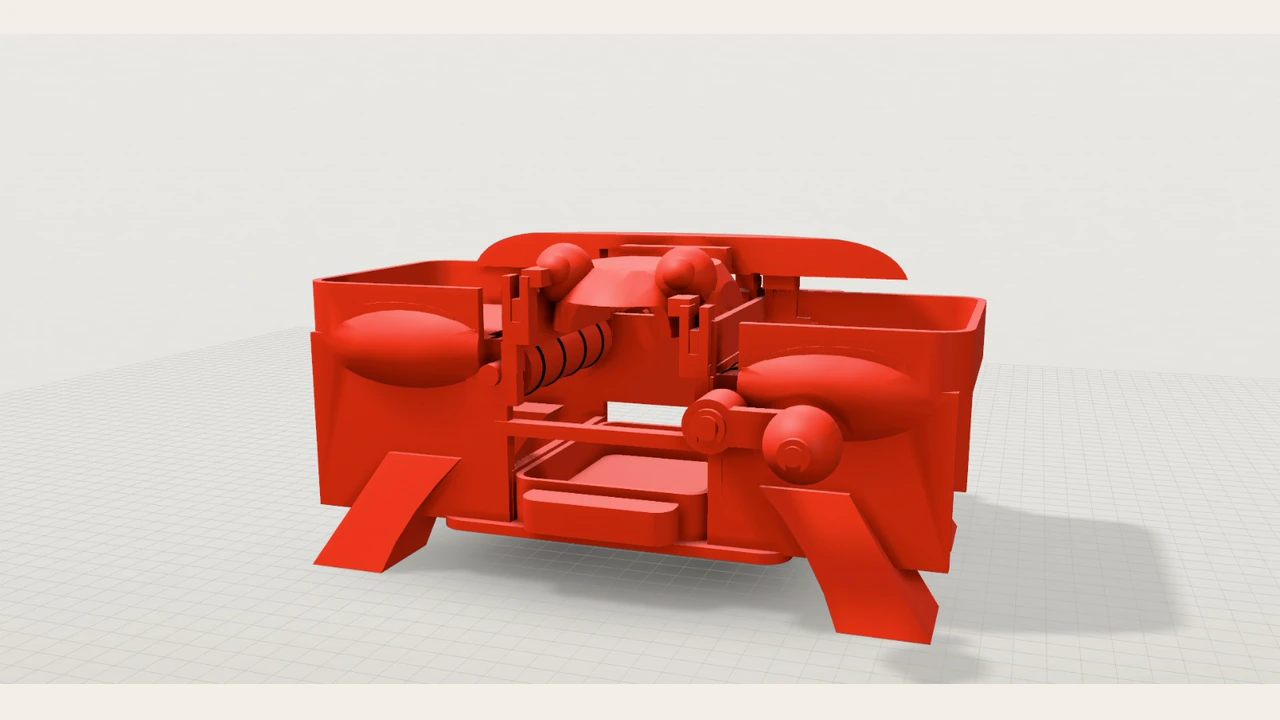
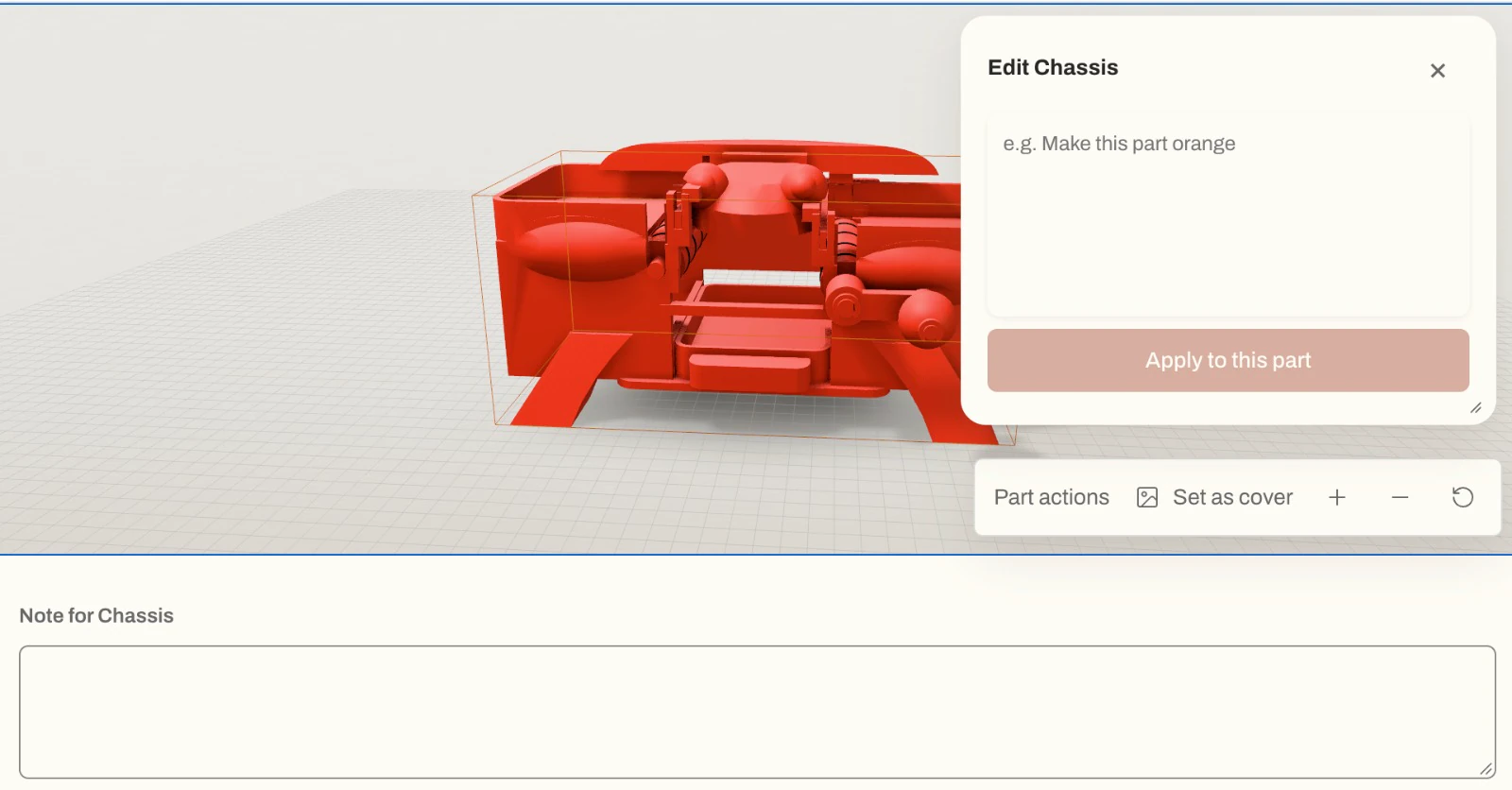
The preview is coral-red on a light grid: two side hoppers, claw-like front legs, rounded forms where eyes would be, and an open middle of rollers, gears and linkages.
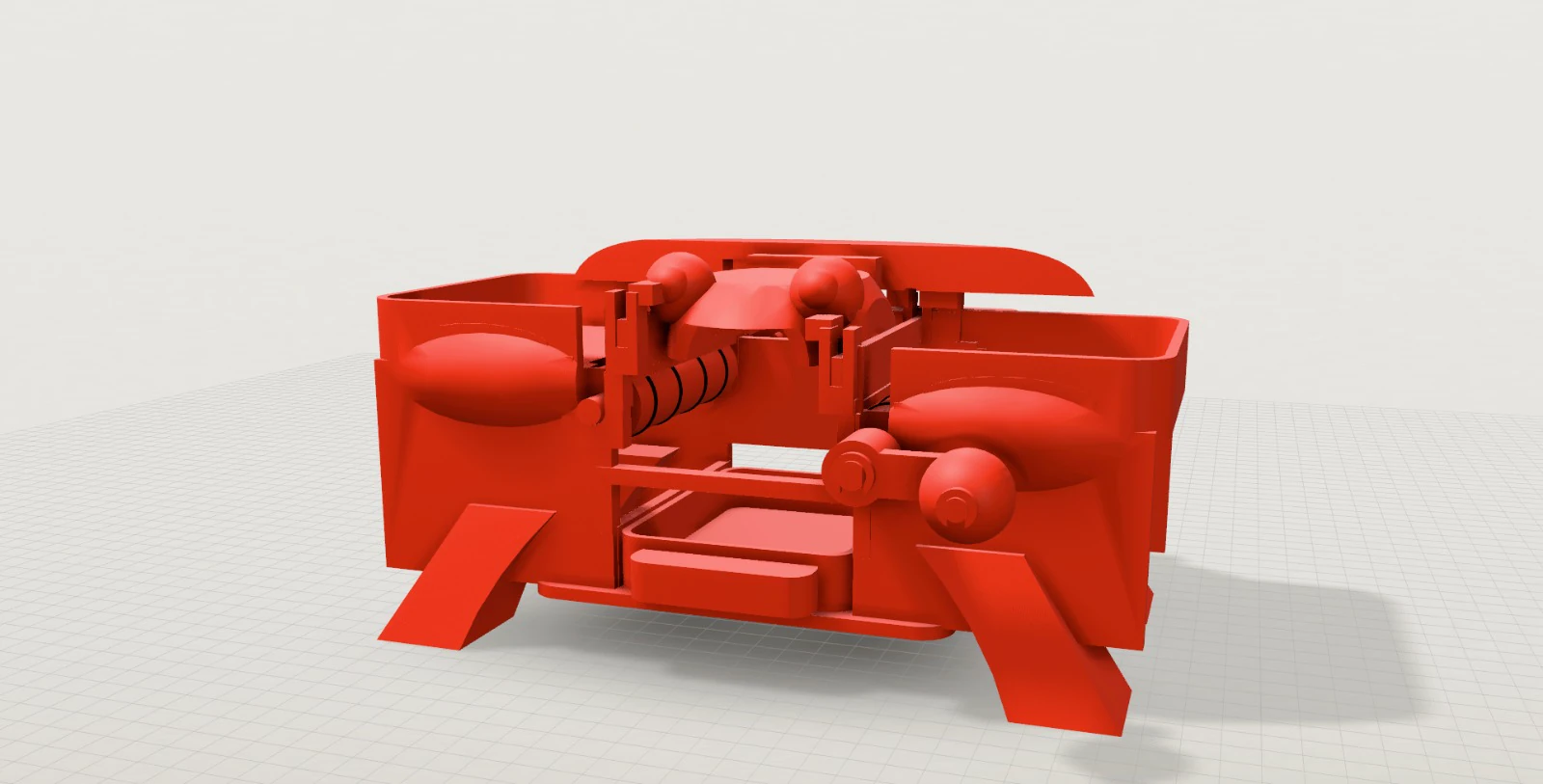
Confetti’s how-it-works page says a CAD model or rendered preview does not prove physical fit, strength, electrical compatibility or safe operation.
Print the small interfaces first
The Build tab opens on “Print and check the small interfaces first”. The instructions on screen are:
- Use coral-red PETG for every printed part. PLA is an optional early fit trial.
- Print
TEST_Axle_clearanceand one gear first. - Check the 8 mm shaft in the 8.5 mm bore and the D socket, then the retaining clip on its groove.
- The shaft must turn freely. The gear must transmit rotation without slipping. A clip must seat and resist an axial pull.
- Do not scale the full assembly to correct one interface. Adjust the source clearance locally if needed.
- Print
TEST_Left_feed_rig, the left roller and one gate to test a feed before the full print. - Test rigs are optional bench fixtures, not assembled parts.
- “These fits are unverified until printed.”
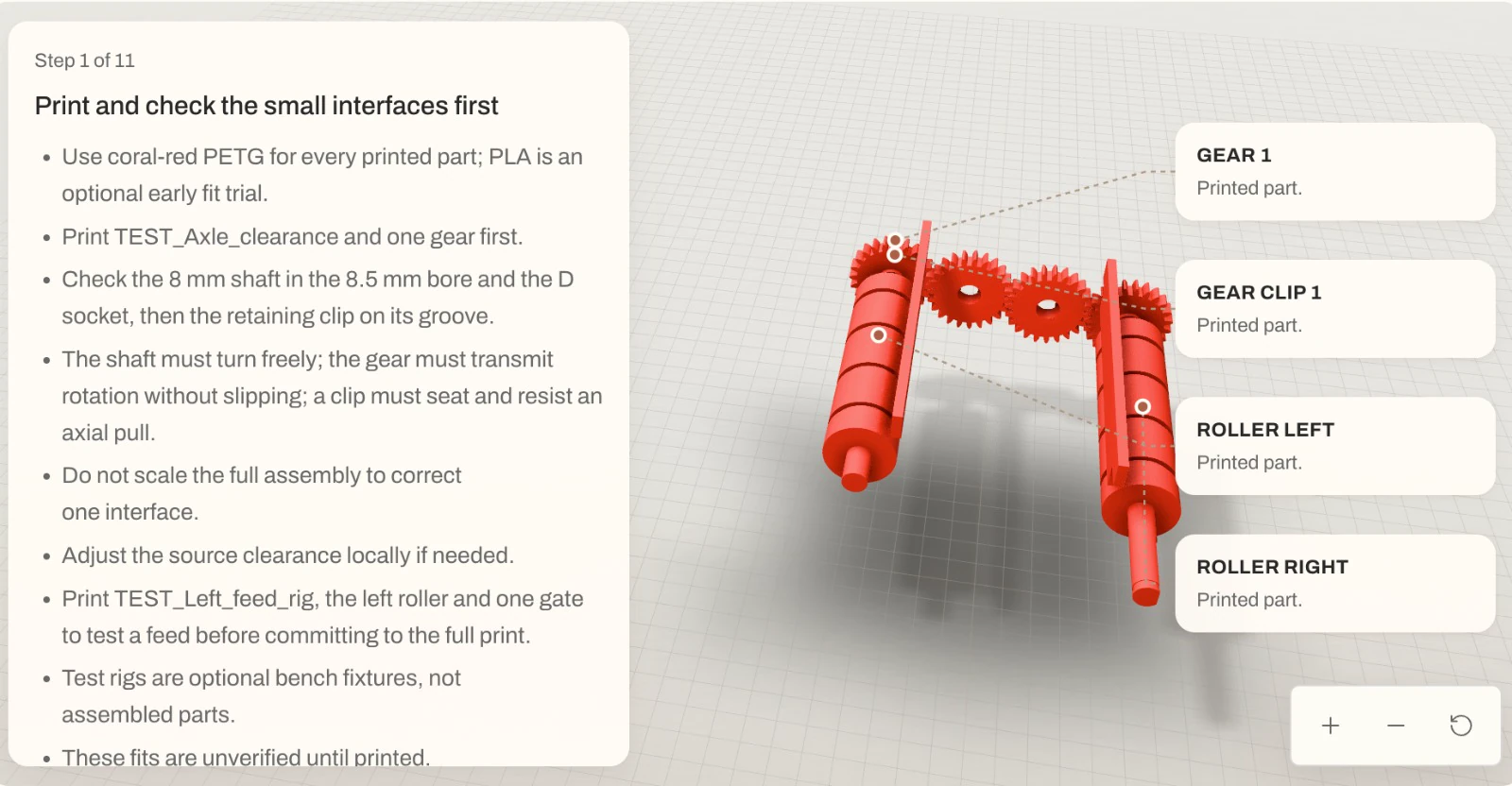
Callouts name GEAR 1, GEAR CLIP 1, ROLLER LEFT and ROLLER RIGHT, each marked “Printed part.”
It starts there so one interface is checked on its own. The screen shows an 8 mm shaft in an 8.5 mm bore. Scaling the whole assembly to loosen that bore would scale every other fit, so the instruction is to adjust the source clearance locally. Same rule as the first-print fit tips. I have not printed the test. Those figures are the plan’s, not a measurement from a print.
Parts, then a per-part edit
The Parts tab sits beside Preview, Order, Build and Code. Every designed part shown is marked Print:
| Part | Size shown |
|---|---|
| Chassis | 244 mm × 128 mm × 111.7 mm |
| Roller Left | 23.1 mm × 118 mm × 23.2 mm |
| Roller Right | 23.1 mm × 140 mm × 23.2 mm |
| Gear 1 | 31.2 mm × 6 mm × 31.2 mm |
| Gear clip 1 | 12 mm × 2 mm × 11.1 mm |
| Gear 2 | 31.2 mm × 6 mm × 31.2 mm |
| Gear clip 2 | 12 mm × 2 mm × 11.1 mm |
| Gear 3 | 31.2 mm × 6 mm × 31.2 mm |
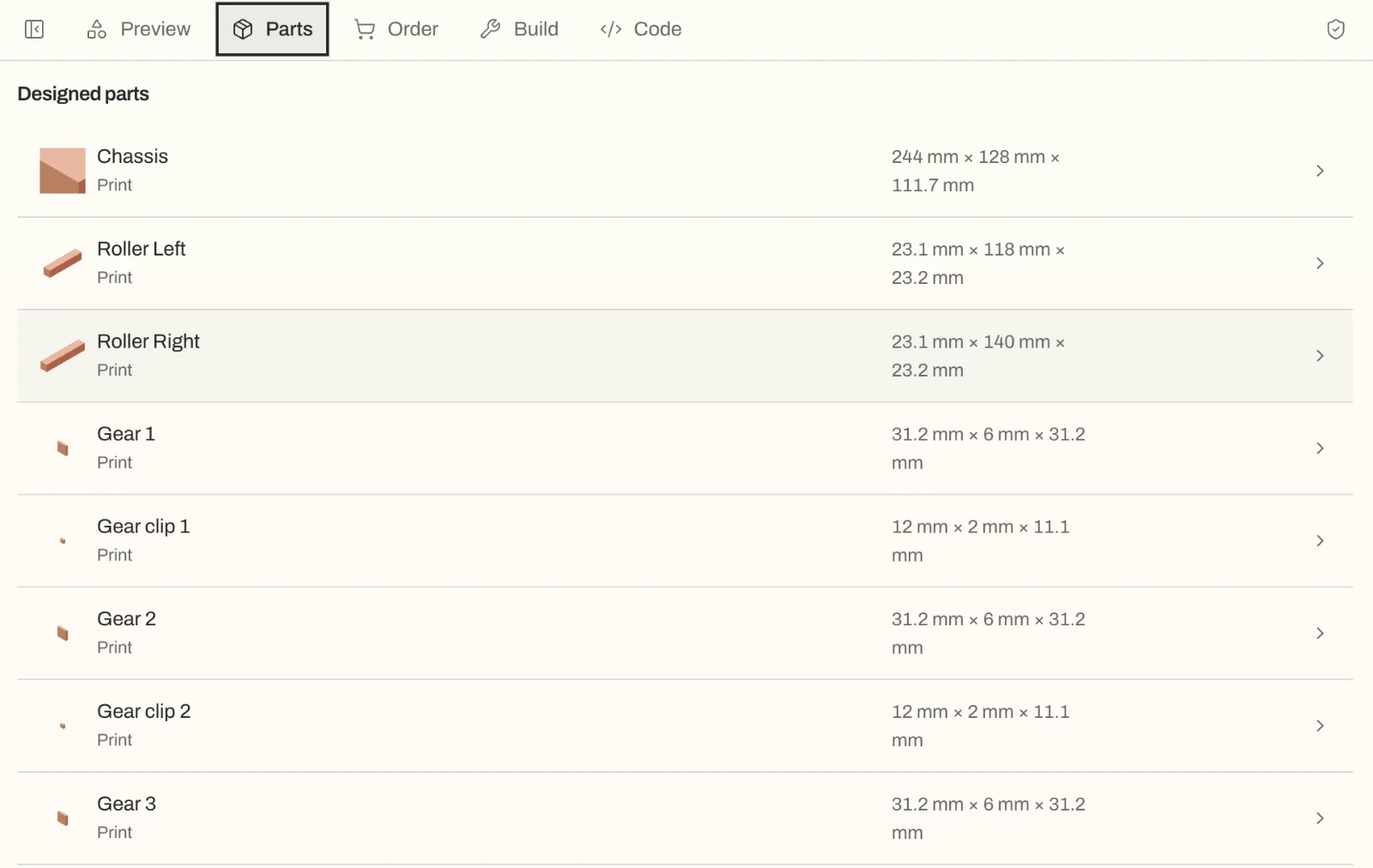
The Order tab is on the same bar. I did not open it, and I saw no quote.
Selecting the chassis opens “Edit Chassis”, with a bounding box on the part. The placeholder is “e.g. Make this part orange”, the button is “Apply to this part”, and the view also shows “Part actions”, “Set as cover” and “Note for Chassis”. That is a per-part revision by description. The orange sentence is placeholder text, not a change I made. The preview was already coral-red.
Download the files, or order them
Depending on the project, Confetti delivers STEP or STL files, editable CAD source, a parts plan and build instructions. You can download them for your own printer or a manufacturer. Supported projects can also get printing quotes and ordering through Confetti. Price and availability depend on the files, the parts and the destination. Custom PCB design and automatic hardware certification are not supported. The Code tab is visible. I did not open it.
On the pricing page, billed monthly in US dollars: Free $0, Studio $79 with 600 credits, Pro $199. Credits pay for AI design. Printing, parts and shipping are extra. Planning a project and reviewing its brief is 0 credits. A first standard build, including ordinary electronics, is 25. A small resize, recolour or move is 5. Any other change is 25. A larger supported mechanical or electronic project, or a change into one, is 75. Previews, history, sharing and exports are free. Maker is listed with no price on the copy I checked. I am not stating a Maker price, a plan, or a credit total for this shuffler.
Testing ideas on Etsy
For a small business, the loop is the point. Describe a product, take the files, print at home or order through Confetti, then list on Etsy yourself. Confetti does not connect to Etsy, as far as I know. The seller writes the listing. Nothing here was sent to a shop.
Print the interfaces before selling a mechanism. The plan says the fits are unverified until printed, and a preview is not a shuffler on a table. The same one-unit-first habit is in the short-run merch stands. What vibe manufacturing is is the longer loop, and other text-to-CAD tools are in the 2026 comparison.
| Step | What this project shows | What it does not show |
|---|---|---|
| Describe the product | I described a crab-shaped card shuffler in Confetti | The text of the prompt |
| Preview the assembly | A coral-red model on a light grid, 6 November 2026 | Proof that the mechanism shuffles cards |
| Check parts and fits | Millimetre sizes on the Parts tab, and step 1 of an 11-step plan | A print, or a fit I measured |
| Download files or order | How it works says you can download files; the Order tab is visible | A quote, or an order I placed |
| Print a test and list on Etsy | A path a seller can use after a real print | A listing, a shop, or any sales |
FAQ
What is this crab-shaped card shuffler?
It is a device I described in Confetti on 6 November 2026. The workspace shows a coral-red preview, printed parts with millimetre sizes, and an 11-step build plan. This article is that workspace result, not a finished print.
Did you print it or list it on Etsy?
No. This write-up is the Confetti result: preview, parts, build plan, and a download or order option. I have not printed the shuffler, and I have not created an Etsy listing or shop.
Can you order a print through Confetti?
For supported projects, Confetti's how-it-works page says printing quotes and ordering options are available through Confetti, depending on the files, parts and delivery destination. The Order tab is visible on this project. I did not open it or receive a quote.
What files can Confetti deliver?
Depending on the project, Confetti's how-it-works page says it can deliver STEP or STL files, editable CAD source, a parts plan and build instructions, for your own printer or a manufacturer. A rendered preview does not prove fit.
Did Confetti or Etsy endorse this?
No. This is an independent write-up. Confetti and Etsy have not reviewed or endorsed it. Confetti does not send the product to Etsy; a seller lists it themselves after they have files and a print.