Workshop
SolidCraft, FieldCraft and PCBCraft: open-source CAD, simulation and PCB tools with AI-agent control
What Tangency Labs’ SolidCraft, FieldCraft and PCBCraft actually offer today, their AI interfaces, file handoffs and early-stage limitations.
Discovery: @marbocub’s Japanese-language post, November 4, 2026, drew attention to SolidCraft and its sister projects FieldCraft and PCBCraft. We used it as a lead, not proof of their capabilities. The evidence below comes from Tangency Labs’ own repositories, documentation and release notes, checked November 5, 2026. This is a documentation-based assessment, not a hands-on test. None of the developers or vendors mentioned reviewed, paid for or endorsed this article.
An AI that can describe a bracket is useful. An AI that can modify its actual CAD history, prepare an analysis and inspect a PCB through explicit commands is a different proposition. Tangency Labs is exploring that second route across three open-source applications.
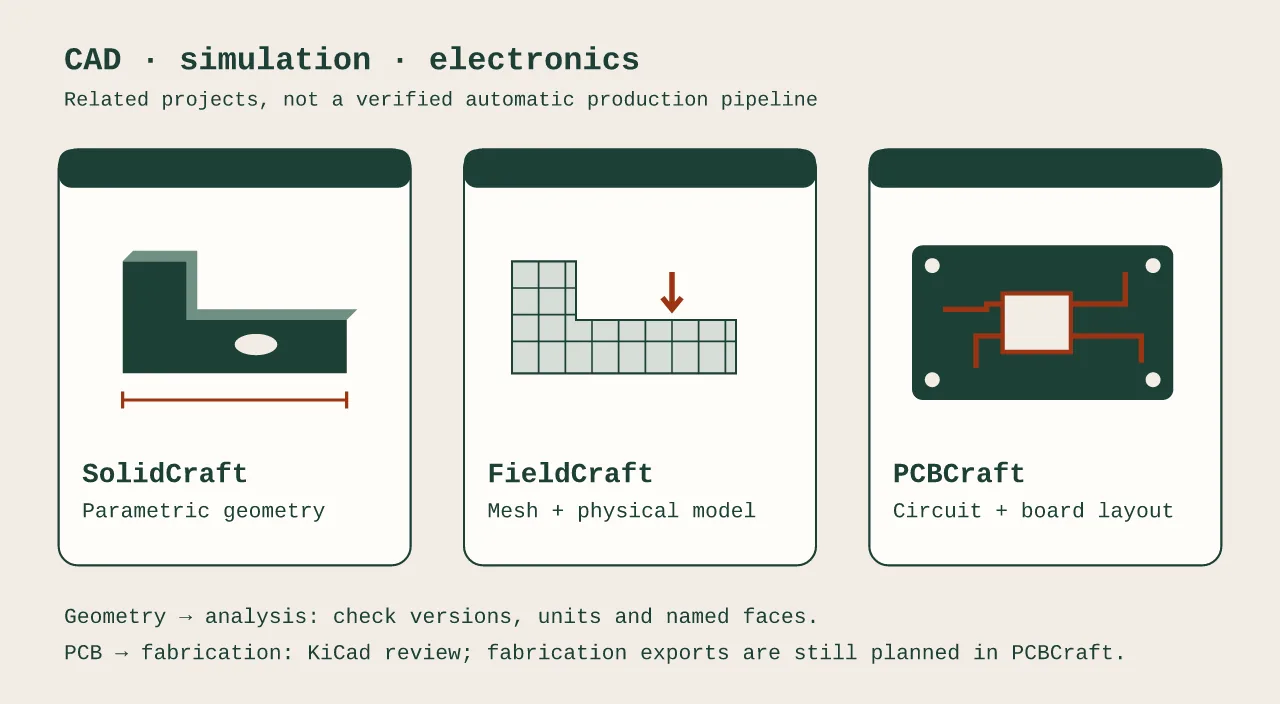
The names are easy to mix up, so here is the identity check: SolidCraft is the parametric mechanical CAD project at tangency-labs/solidcraft; FieldCraft is the engineering-analysis project at tangency-labs/fieldcraft; and the PCBCraft repository we could verify is now tangency-labs/pcbcraft-gpl, not the older pcbcraft address. All three appear under the official Tangency Labs organization. That establishes the family relationship, not a seamless integrated engineering suite.
What each application does
| Application | Documented job | Availability checked | Useful handoff | Important limit |
|---|---|---|---|---|
| SolidCraft | Constrained sketches, parametric solids, assemblies | 0.30.1 release; desktop packages and browser app | STEP or mesh export; native design for analysis | New saves cannot necessarily open in old versions |
| FieldCraft | Meshing, structural analysis, heat transfer and lattice Boltzmann fluid flow | 0.7.5 release; desktop packages, documented browser build | Native analysis project, results and solver decks | Turbulent drag and wall stress are explicitly provisional |
| PCBCraft | Schematics, board placement, basic routing, libraries and checks | Source/build instructions; no published latest release found | Native .pcbcraft, libraries and .kicad_pcb export |
Not a KiCad replacement; fabrication outputs remain planned |
This table compares roles, not performance. We did not benchmark these apps or establish parity with commercial CAD, CAE or EDA software.
SolidCraft: editable geometry, not just a generated mesh
SolidCraft’s README describes constrained sketches, dimensions driven by parameters and an editable feature timeline. The listed operations include extrude, revolve, sweep, loft, fillet, shell, holes, threads and patterns. Assemblies, joints, configurations and a sheet-metal toolset are also documented.
The practical attraction is an editable design. Instead of receiving only an STL, you can change a wall thickness or mounting distance and rebuild dependent features. That fits the method in our guide to making a 3D-printable part with AI: make dimensions explicit, inspect the geometry and test the fit.
The README lists STEP, IGES, 3MF, STL, OBJ and glTF import/export “where supported.” Do not read that as lossless interchange or preservation of an editable timeline in every format. Keep the native file as well as the export.
The AI connection is real, but optional. The official site says an external compatible agent can run modeling commands, inspect measurements, change parameters and export through MCP (Model Context Protocol). The README documents a headless session or a connection to the running app. Its roadmap also documents optional desktop agent chat. This is an interface to an assistant, not evidence that the assistant’s design decisions are correct. See AI CAD tools vs ChatGPT for that distinction.
There are concrete reasons to keep backups. The 0.30.1 release notes say it writes design format 48, which cannot open in 0.30.0 or earlier. They also document a browser-view repair and agent-chat security fixes. Prefer the release notes to the homepage’s older version label when choosing a download, and save a separate copy before upgrading.
FieldCraft: more than an analysis-shaped interface
FieldCraft’s documentation describes its own meshers and solvers, rather than merely a UI for sending prompts elsewhere. The documented workflow is geometry → mesh → materials, constraints and loads → solve → inspect results. It includes tetrahedral and hexahedral meshes, structural analysis, heat transfer and lattice Boltzmann CFD.
The 0.7.5 release notes give a more concrete picture than a broad “FEM/CFD/thermal” label. They list solids conducting heat within fluid flow, thermal contact resistance for pads and pastes, fans and vents, per-component temperature limits and steady-state stopping criteria. They also describe nonlinear structural improvements, mapped initial fields and path plots.
For a maker, that suggests a useful evaluation problem: a small electronics enclosure where both heat removal and bracket stiffness matter. It does not mean a PCB can be imported and automatically converted into a trustworthy thermal model. Materials, power dissipation, contacts, restraints and flow boundaries still need an engineer’s attention.
Two caveats are especially important:
- The project itself warns that LES results are under review. In 0.7.5, turbulent drag and wall-stress values should be treated as provisional. GPU checks in CI use a software device; that is not a real-hardware performance benchmark.
- Developer verification is not independent validation. The repository publishes comparisons with theory and benchmarks, including known failures. Those are useful evidence of engineering discipline, not certification of arbitrary models or proof that your boundary conditions are sensible.
FieldCraft 0.7.5 explicitly reads SolidCraft designs through 0.30.1, format 48. It also changes saved analysis models to SI storage and warns that older FieldCraft versions cannot reopen the new saves. Version compatibility is part of the workflow, not a footnote.
AI agents use an MCP server to drive the same analysis commands. That is conceptually related to Navier Prism’s agent-based engineering workflow, but the published evidence does not support a claim that either is more accurate or faster.
PCBCraft: a deliberately narrow first circuit
The PCBCraft README calls it a “first working foundation, not a KiCad replacement yet.” Its implemented slice is a flat schematic, assigned PCB footprints, basic routing, checks and KiCad board export.
There are Schematic, PCB Layout, Libraries and Checks tabs. The documentation describes searching installed KiCad symbol and footprint libraries, embedding supported definitions, editing native project-library symbols and footprints, and reusing .pcbcraft-lib collections. MCP tools cover editing, inspection, checks, persistence and previews, either headlessly or connected to the desktop.
This is not an autorouter. The documented route tool makes simple straight or orthogonal pad-to-pad connections and does not avoid obstacles. Moving a footprint does not drag its tracks. Wire crossings do not implicitly connect logical nets. Those details matter more than a marketing comparison with an established EDA package.
The roadmap separates the implemented subset from future work. General KiCad import, advanced routing, differential pairs, copper zones, comprehensive manufacturing checks, Gerber/Excellon exports and fabrication packages remain unchecked. PCB/enclosure STEP exchange and constrained mechanical outlines are also plans, not an integration you should assume already works.
Start with its LED example if you want to evaluate it. Export to KiCad and review there before attempting any manufacturing workflow. Our desk mute-button PCB guide explains why small real-world boards still need electrical and mechanical checks.
A sensible design-to-fabrication workflow
Treat this as a proposed evaluation, not a test we ran:
- Define the interfaces first. Record board size, hole centers, component heights, loads and heat sources. Keep the same units and revision labels in every file.
- Model the enclosure or bracket in SolidCraft. Use named parameters. Save the native design and a neutral export, then reopen both to check their dimensions.
- Evaluate one physical question in FieldCraft. Start with a case you can compare with a hand calculation. Inspect mesh sensitivity and reactions, or heat and flow balances; do not trust a contour plot alone.
- Keep electronics as a separate, reviewed workflow. PCBCraft can demonstrate schematic-to-board editing and KiCad export. Its mechanical coordination and fabrication packages are not complete, so transfer dimensions deliberately rather than assuming synchronization.
- Use downstream production tools. An STL or 3MF still needs a slicer; see Bambu Studio and xTool software. A PCB export still needs design-rule and manufacturing review. For flat cut parts, use the checks in AI to DXF.
Open source does not mean identical licensing
SolidCraft and FieldCraft state MIT OR Apache-2.0, at your option. The verified PCBCraft repository states GPL-3.0-or-later and distinguishes the app’s licence from KiCad library data and its design-output exception. Read the actual terms if distributing modifications or bundling the software. A connected AI assistant may also have separate costs and data-handling terms; these projects’ licences do not include an AI subscription.
Bottom line: these are identifiable, related projects with documented agent interfaces, not just three promising names from a social post. SolidCraft is the most direct place to explore editable CAD; FieldCraft has a substantial but still caveated simulation workflow; PCBCraft is an early EDA foundation. Try small, inspectable problems first, preserve your files and do not mistake an ambitious roadmap for production readiness.
FAQ
Do these apps actually have AI features?
All three document MCP interfaces through which a compatible external AI agent can operate the application. SolidCraft also documents an optional agent-chat panel. This is not proof of autonomous engineering accuracy.
Is PCBCraft ready to send a board straight to a manufacturer?
Not according to the roadmap checked for this article: Gerber, Excellon and fabrication packages remain planned. Its documented working path exports a KiCad board for further review.
Can FieldCraft open current SolidCraft files?
FieldCraft 0.7.5 explicitly says it reads designs saved by SolidCraft through 0.30.1, design format 48. Check the versions at both ends before upgrading.